Markdown を行き来する。快適に。
数百のファイルを抱えたリポジトリのための、Mac 専用の軽量ビューア。
Move through Markdown, comfortably.
A lightweight Mac-only viewer for repositories that hold hundreds of files.
macOS 14 (Sonoma) 以降が必要です。Windows / Linux 版はありません。
Requires macOS 14 (Sonoma) or later. There is no Windows or Linux version.
Claude が設計する。私は befold でレビューする。
Claude Code や Codex に設計を任せると、Markdown のドキュメントがたくさん作られる。
ドキュメントを直せば、AI が作るコードは良くなる。
befold は「読む」を快適にする。
Claude designs. I review in befold.
Hand the design to Claude Code or Codex, and a lot of Markdown documents get written.
Fix the documents, and the code the AI writes gets better.
befold makes reading them comfortable.
vault に登録しなくていい。
Obsidian は Markdown を快適に読ませてくれる。
けど worktree まで、vault へ登録してられない。
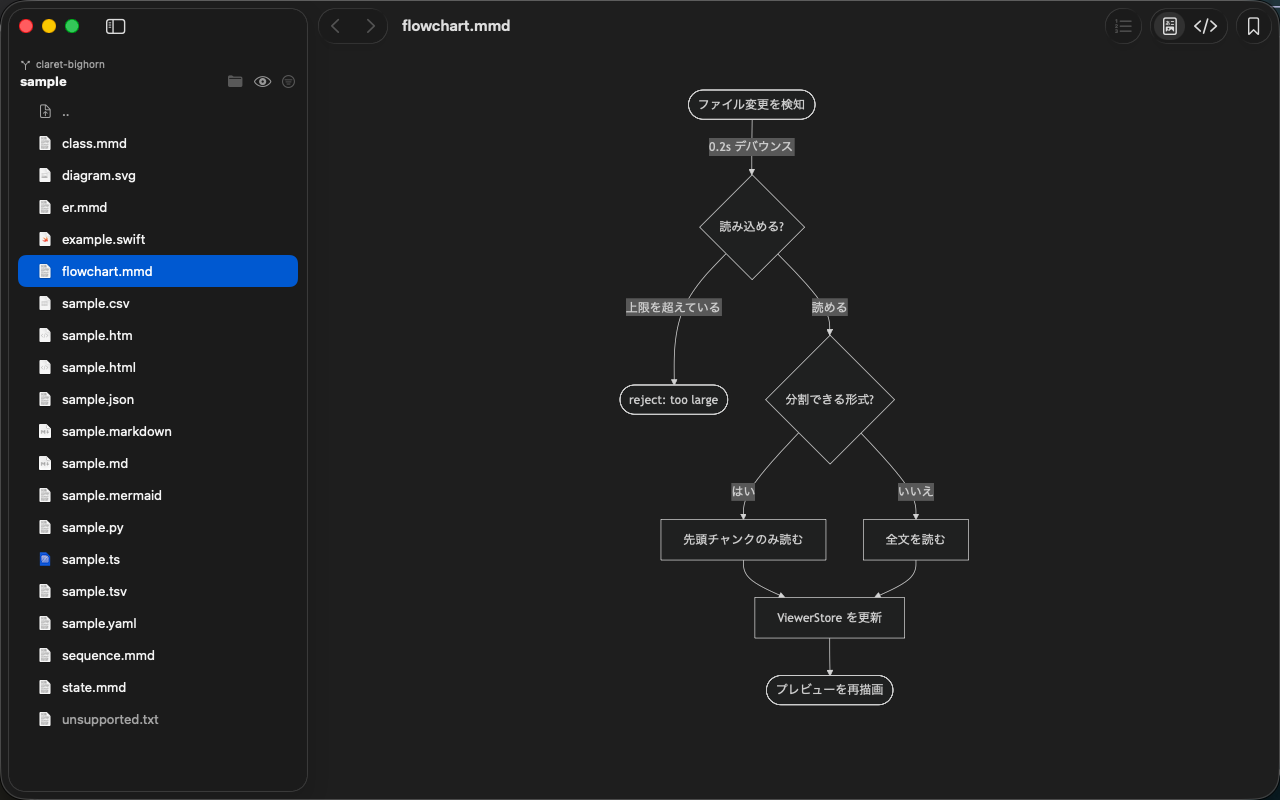
befold なら befold . と打つだけ。切ったばかりの worktree の Markdown も、その場で読める。
No vault to register.
Obsidian reads Markdown beautifully.
But I'm not registering every worktree as a vault.
With befold, befold . is all it takes — the Markdown in a worktree you just created opens right there.
機能
Features
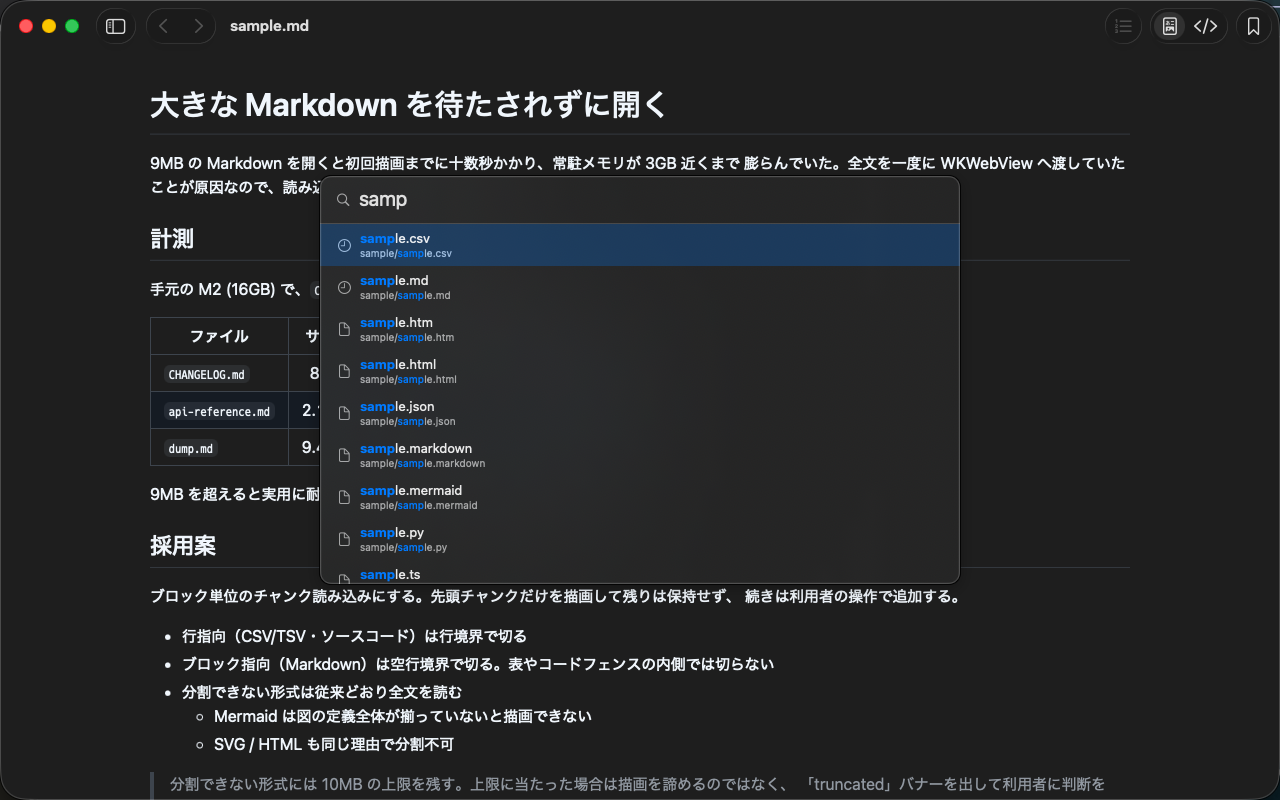
Quick Open (⌘P)
Quick Open (⌘P)
ファイル名のあいまい検索で目的のファイルへ一息で。空欄なら最近開いたファイルとブックマークが並び、./ や ../ のパス入力にも対応
Fuzzy-search filenames to jump straight to a file. An empty query lists recents and bookmarks, and ./ or ../ path input works too
サイドバー & スワイプ
Sidebar & Swipe
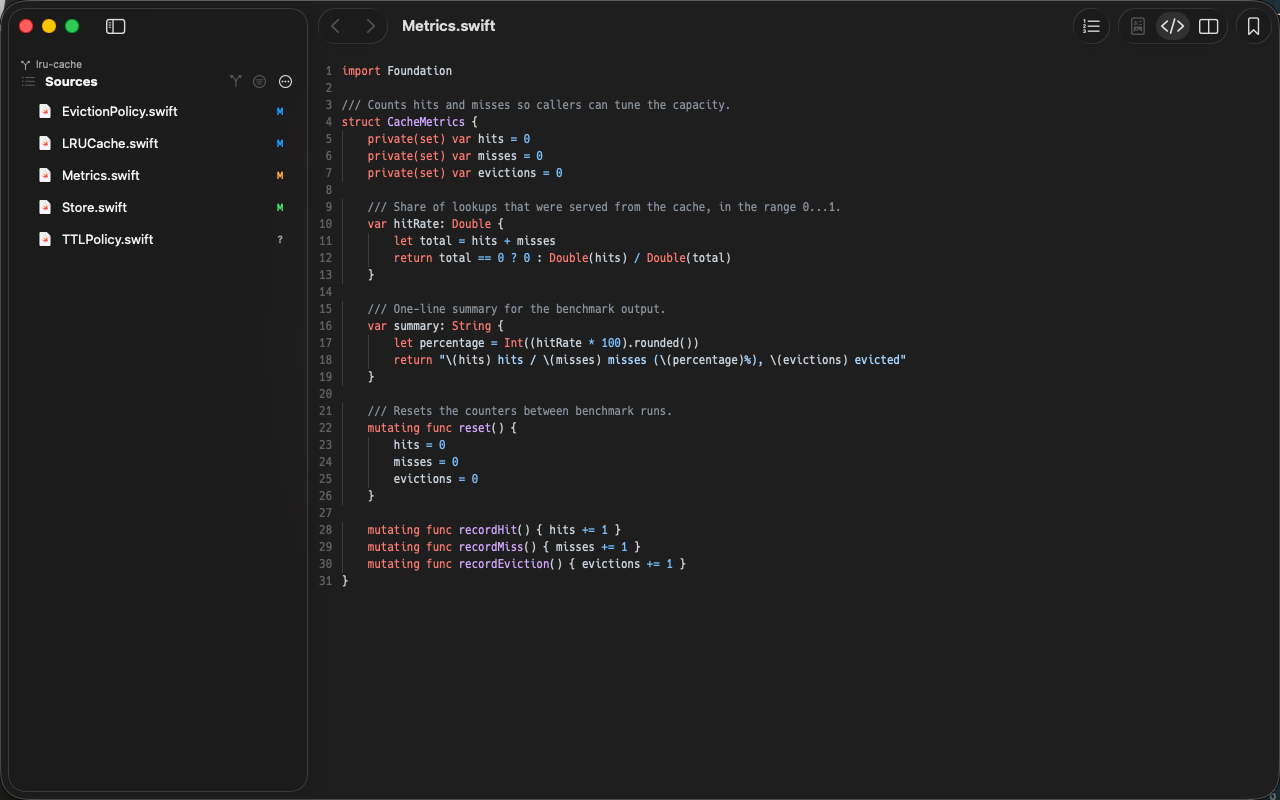
⌘S でサイドバーを開き、フォルダを辿って名前で絞り込む。⌘[ / ⌘] とトラックパッドの2本指スワイプで読んだファイルを行き来できる
Open the sidebar with ⌘S to walk folders and filter by name. Move between files you have read with ⌘[ / ⌘] or a two-finger trackpad swipe
CLI から開く
Open from the CLI
befold path/... で複数ファイルをまとめて開く。--sidebar / --source / --line-numbers などの表示指定、表示可否だけを確かめる --check、--bookmark も使える
befold path/... opens several files at once. Display flags like --sidebar, --source and --line-numbers, plus --check to verify a file opens and --bookmark
ライブリロード
Live Reload
外部のエディタや AI がファイルを書き換えると即座にプレビューへ反映。保存時に作り直されるファイルやリネーム・移動にも追従する
Every change from an external editor or an AI lands in the preview instantly — including files recreated on save, renames and moves
大きなファイルも開ける
Large Files, Too
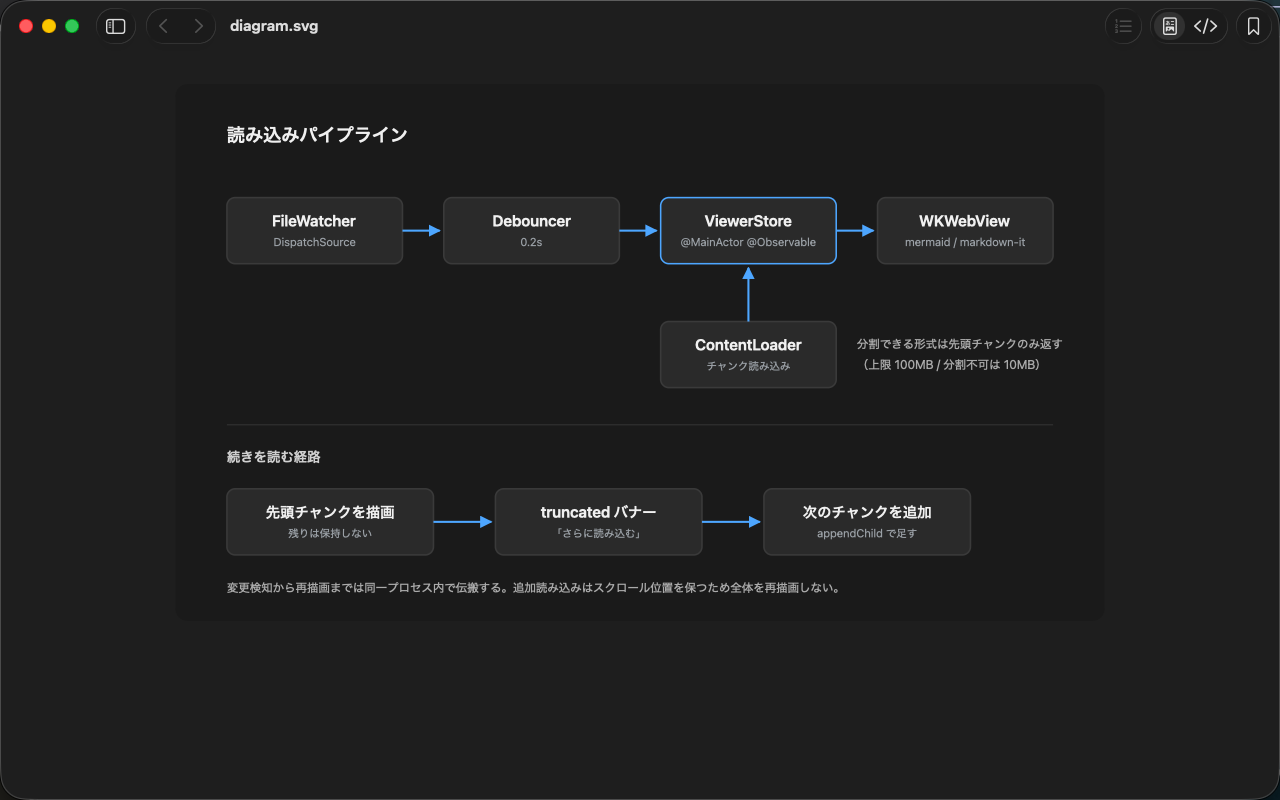
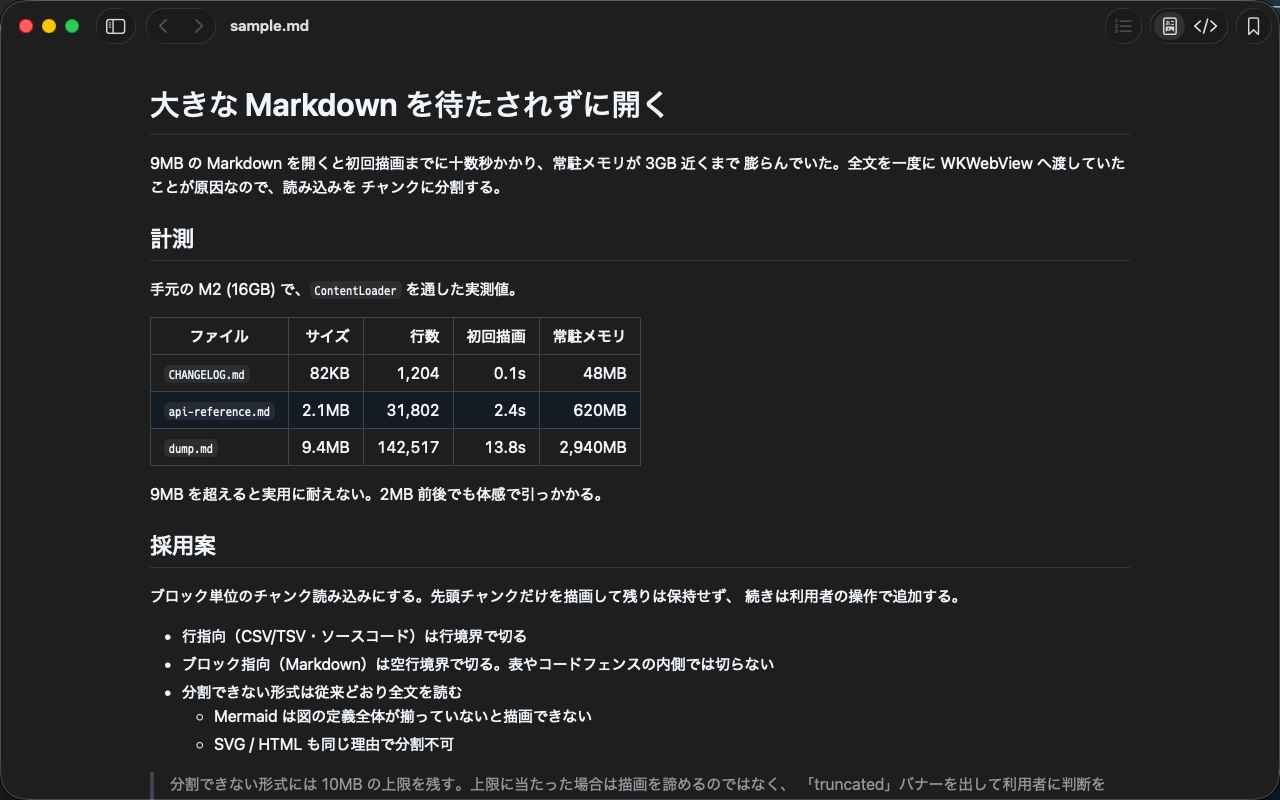
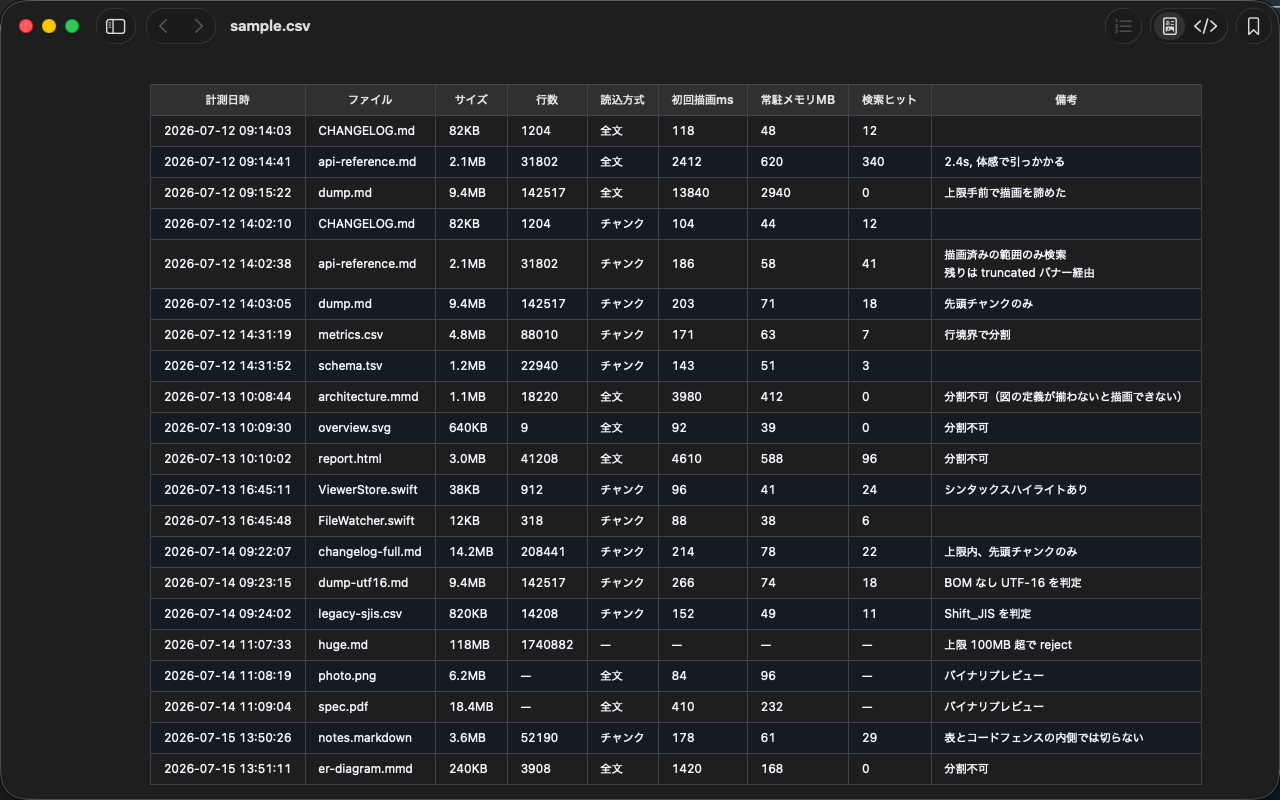
Markdown・CSV/TSV・ソースコードは分割して読み込むので、最大 100MB のファイルも待たされずに開ける。続きは「さらに読み込む」で
Markdown, CSV/TSV and source code load in chunks, so files up to 100MB open without a wait. Pull in the rest with “Load More”
QuickLook 対応
QuickLook Support
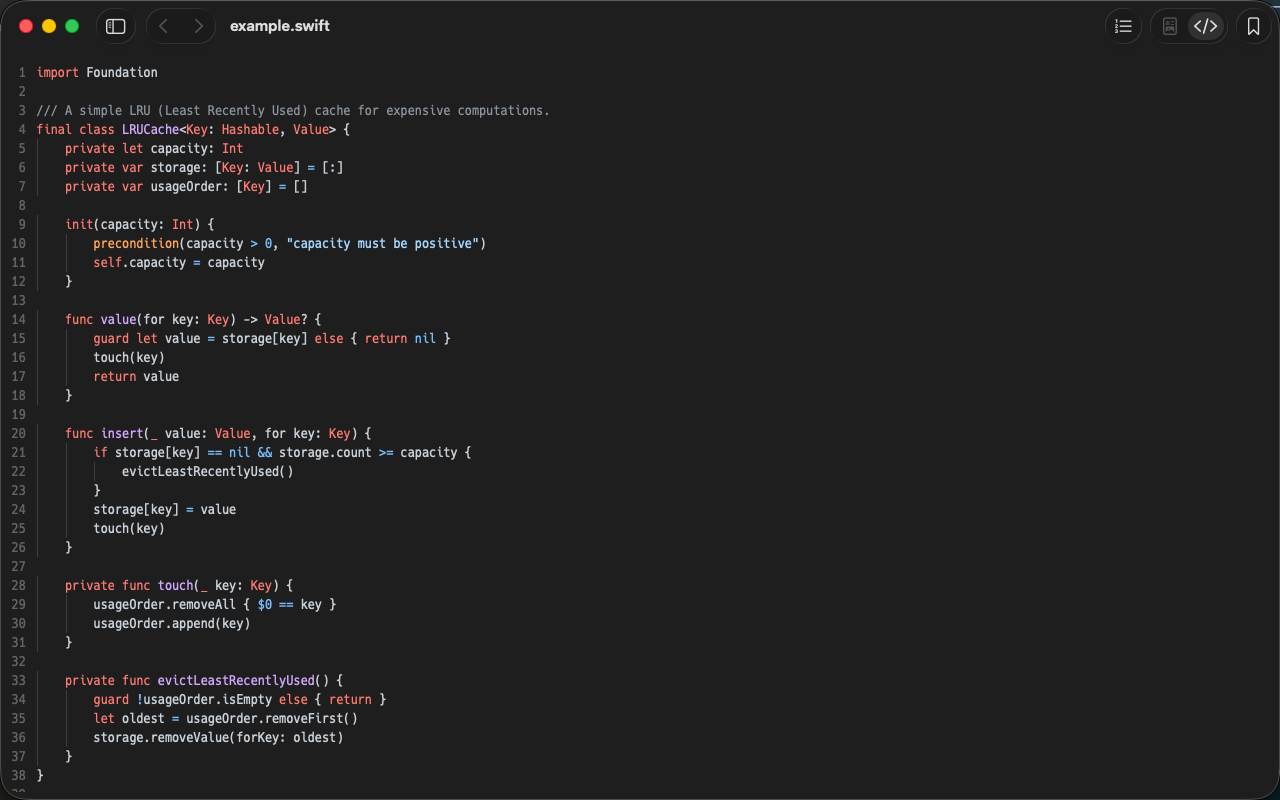
QuickLook 拡張を同梱。Finder でファイルを選んでスペースキーを押すだけで、アプリを開かずに Mermaid や Markdown をレンダリング表示できる
Ships a QuickLook extension. Select a file in Finder and hit space to see Mermaid or Markdown rendered — no need to open the app
- git を知っているリンク解決 — Markdown 内のパスは実在するものだけリンクになる。相対パスで見つからなければ git の追跡ファイルから探し当て、worktree やブランチを切り替えても追従するGit-Aware Link Resolution — Only paths that really exist become links. When a relative path misses, befold finds the file among git-tracked ones — and keeps up when you switch worktrees or branches
- 多彩なフォーマット対応 — .mmd, .md, .svg, .html, .csv, .tsv のレンダリング表示に加え、.png, .jpg, .gif, .webp, .pdf, ソースコード(50以上の言語)にも対応。文字コードは UTF-8/16/32・Shift_JIS・EUC-JP を自動判別Wide Format Support — Renders .mmd, .md, .svg, .html, .csv, .tsv — plus displays .png, .jpg, .gif, .webp, .pdf, and source code in 50+ languages. Detects UTF-8/16/32, Shift_JIS and EUC-JP automatically
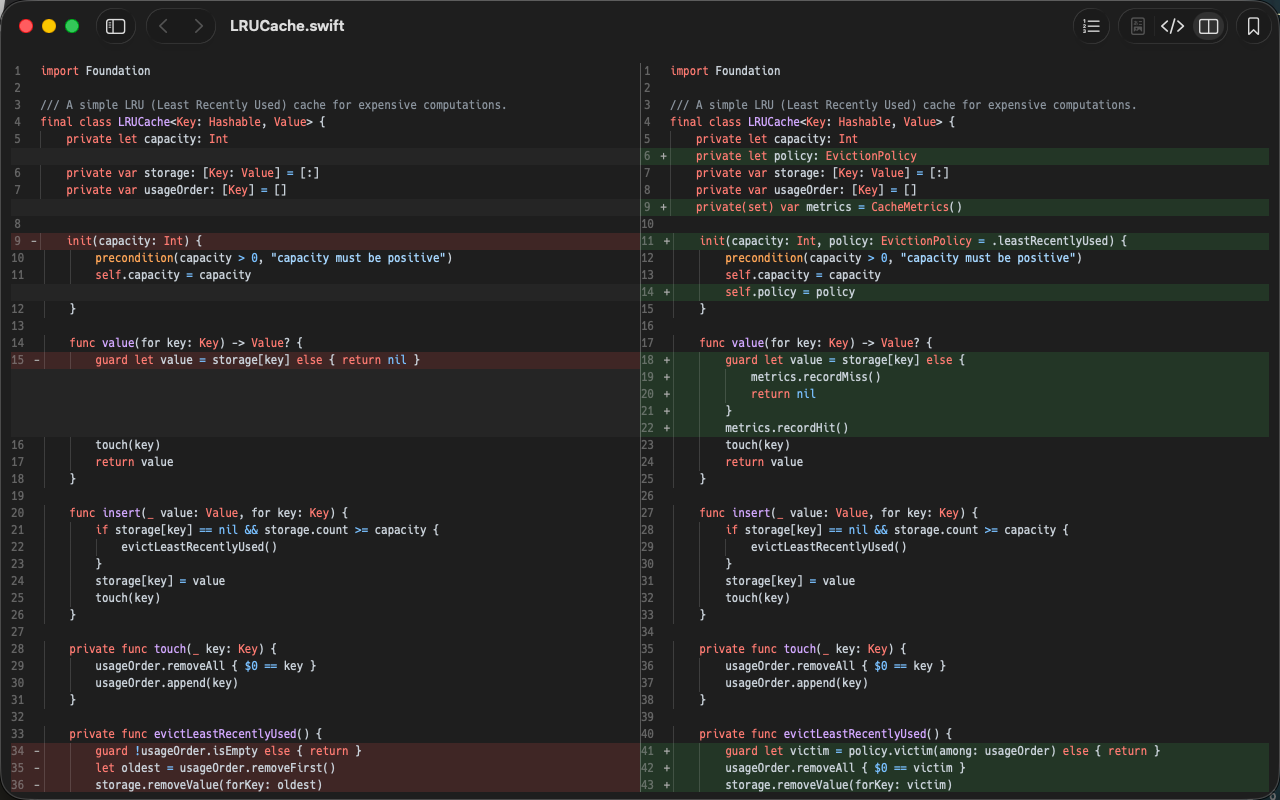
- レンダリング / ソース切替 — ⌘U でレンダリング表示とソース表示をワンタッチ切替。ソースはシンタックスハイライトと ⌘L の行番号付き。⌘F の検索は正規表現・大文字小文字・単語単位に対応Rendered / Source Toggle — Switch between rendered and source view with ⌘U. Source view has syntax highlighting and line numbers via ⌘L. Find (⌘F) supports regex, case and whole-word matching
- タブ & セッション復元 — macOS ネイティブのタブ対応。前回のタブ構成は次回起動時に自動復元され、ズーム率・表示モード・スクロール位置はファイルごとに記憶するTabs & Session Restore — Native macOS tabs. Your previous tab layout is restored on next launch, and zoom, view mode and scroll position are remembered per file
- ズーム & ダークモード — ⌘+/⌘-/⌘0 でズーム操作。macOS のダークモードに自動追従し、ソース表示のフォントは設定から変更できるZoom & Dark Mode — Zoom with ⌘+/⌘-/⌘0. Follows macOS dark mode automatically, and the source-view font is configurable in Settings
- アプリ内アップデート — 新しいバージョンが利用可能になると通知。ワンクリックで更新In-App Updates — Notifies when a new version is available. One-click update
全機能・対応ファイルタイプの一覧を見る →See all features and supported file types →
動作要件
macOS 14 (Sonoma) 以降
Requirements
macOS 14 (Sonoma) or later
インストール
- 最新版をダウンロード
- DMG を開き、
befold.appを/Applicationsにコピーして起動
Installation
- Download the latest version
- Open the DMG and copy
befold.appto/Applicationsto launch